
Wearable Devices and Privacy Risks: Are Fitness Trackers Safe?
What Are Wearable Devices?
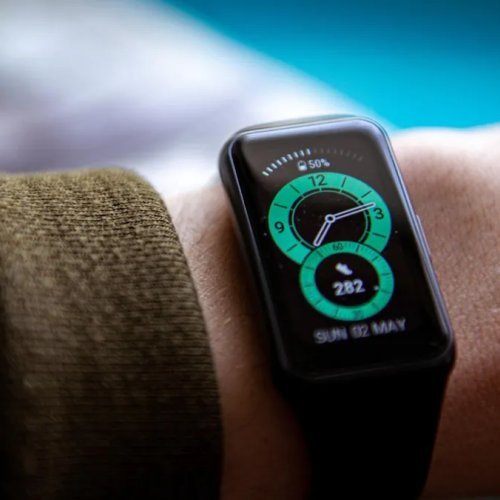
Wearable devices, such as fitness trackers and smartwatches, are designed to be worn throughout the day. They function as accessories, attach to clothing, or even integrate into the body. These devices are equipped with sensors to track and monitor user activity, assisting with goals like staying active, losing weight, managing physical and mental health, and improving overall organization. In English, the term "wearable devices" is often shortened to "wearables."
The popularity of wearable devices, which are part of the Internet of Things (IoT), has grown significantly in recent years. The global wearable device market is now valued at over $20 billion annually. This growth is fueled by the expansion of mobile networks, the availability of high-speed data transmission, and advances in miniaturized microprocessors. However, as wearables become more common, concerns about their security arise—are fitness trackers safe?
Are Fitness Trackers Secure?
Using fitness trackers poses potential risks to your privacy. Most trackers sync with other devices, such as laptops or smartphones. While running or cycling, a tracker records your location, and when this data is transferred via cloud services, it becomes vulnerable to hacking. The following privacy concerns should be considered when using fitness trackers:
1. Fitness Trackers Collect Highly Personal Data
Fitness trackers gather sensitive information, including:
- Weight
- Blood pressure
- Distance covered while running or walking
- Heart and lung health
- Menstrual cycle tracking
- Sleep patterns
This data is usually shared only with healthcare professionals, but fitness trackers collect and store it automatically. Additionally, they may track your home address, real-time location, and detailed workout routes—information that can be easily accessed by others.
2. Data Can Be Shared or Sold to Third Parties
Some fitness tracker companies have vague privacy policies regarding data storage, encryption, and access control. For example, Fitbit collects anonymized user data and sells it to third parties. Health data is valuable to advertisers and insurance companies, which are willing to pay for it. Additionally, fitness tracker companies may be legally required to disclose user health data for criminal investigations.
Notably, the U.S. Health Insurance Portability and Accountability Act (HIPAA) does not cover personal data collected by fitness trackers for individual use. This means such data may not be subject to the same legal protections as traditional medical records.
3. How Secure Is Your Data?
Wearable device companies are not immune to data breaches. A notable example is the 2018 hack of Under Armour’s MyFitnessPal app, where names, passwords, and email addresses of over 150 million users were exposed.
Another security incident occurred in 2018 when an Australian college student discovered a vulnerability in the Strava fitness app. This flaw exposed a significant amount of user data, including the locations of U.S. military bases in combat zones worldwide.
Since most fitness trackers connect to smartphones via Bluetooth, security vulnerabilities may allow hackers to intercept signals. Without directly hacking the device, attackers can capture Bluetooth responses to determine the PIN code. Once they have this code, they can access your health data.
In cases where hackers breach the servers of fitness tracker companies, they may either sell stolen data or demand a ransom. If your health data becomes publicly available, insurance companies could legally use it to adjust your premiums. For example, if your tracker data reveals a more sedentary lifestyle than you reported, your insurance rates may increase accordingly.
4. Wearable Data May Be Public by Default
Many fitness trackers integrate with social media, allowing users to share their activity data. Often, user profiles default to "public," making them searchable online. To protect your privacy, adjust your settings to limit data visibility.
5. Who Owns the Data Generated by Your Wearable Device?
It’s important to understand who owns the personal data collected by your fitness tracker—you or the manufacturer. Ownership policies vary by brand, but in many cases, the data does not belong to the user. Always review the device’s privacy policy and terms of service.
6. Your Fitness Tracker Company Could Be Sold
Even if you agree with a fitness tracker company’s current privacy policy, ownership changes can impact your data. In 2019, Google acquired Fitbit, sparking concerns about how Google would handle data from millions of users. When a company is sold, one of its most valuable assets is its customer data. The new owner may have different privacy policies and could sell user health data to advertisers, insurers, and other third parties.
How to Protect Your Privacy When Using Fitness Trackers
While regulations such as the General Data Protection Regulation (GDPR) in Europe and the California Consumer Privacy Act (CCPA) provide some data protection, there is no unified legal framework governing wearable device security. To enhance your privacy, follow these steps:
1. Review Your Fitness Tracker’s Privacy Policy
A privacy policy reveals how seriously a company values your privacy and what measures it takes to protect it. Look for details on how data is stored, used, and accessed. If the policy is vague or suggests unrestricted data sharing, consider using a different provider.
2. Limit the Data Collected by Your Device
Wearable devices vary in complexity, from basic step counters to advanced trackers monitoring oxygen levels and heart rate zones. The more sensors a device has, the more data it generates—and the more privacy risks arise.
- If your tracker records running or cycling routes, be cautious, as this data could be misused by stalkers.
- Sensitive health data, such as menstrual cycle tracking, could become a significant privacy issue if leaked.
Whenever possible, restrict data collection to only what is necessary. For example, if you only need step tracking, disable heart rate monitoring.
3. Check Where Your Data Is Stored
Older devices, such as basic pedometers, store data locally, meaning security concerns are limited to physically losing the device. However, modern fitness trackers sync with external apps for analysis and sharing. If your data is stored on external servers, trust in the provider becomes crucial.
4. Enable Two-Factor Authentication (2FA)
Two-factor authentication (2FA) adds a security layer by requiring a code sent to a trusted device (such as a phone) for access. This can help secure your fitness tracker account.
5. Disable Location Tracking
Location data reveals personal details like your home, workplace, and shopping habits. To enhance privacy:
- Turn off location tracking in your device and app settings.
- Be mindful of when and where you wear your fitness tracker—crowded areas may increase data theft risks.
6. Keep Your Device Updated
Software updates often include critical security patches. Regularly updating your fitness tracker ensures it has the latest security features.
7. Avoid Unsecured Networks
Due to the sensitive nature of health data, avoid using public Wi-Fi networks where your information may be at risk.
8. Use a VPN for Anonymity
A Virtual Private Network (VPN) encrypts your internet traffic, making it more difficult for third parties to access your data. For example, a VPN creates a secure tunnel between your device and the internet, preventing unauthorized tracking.